
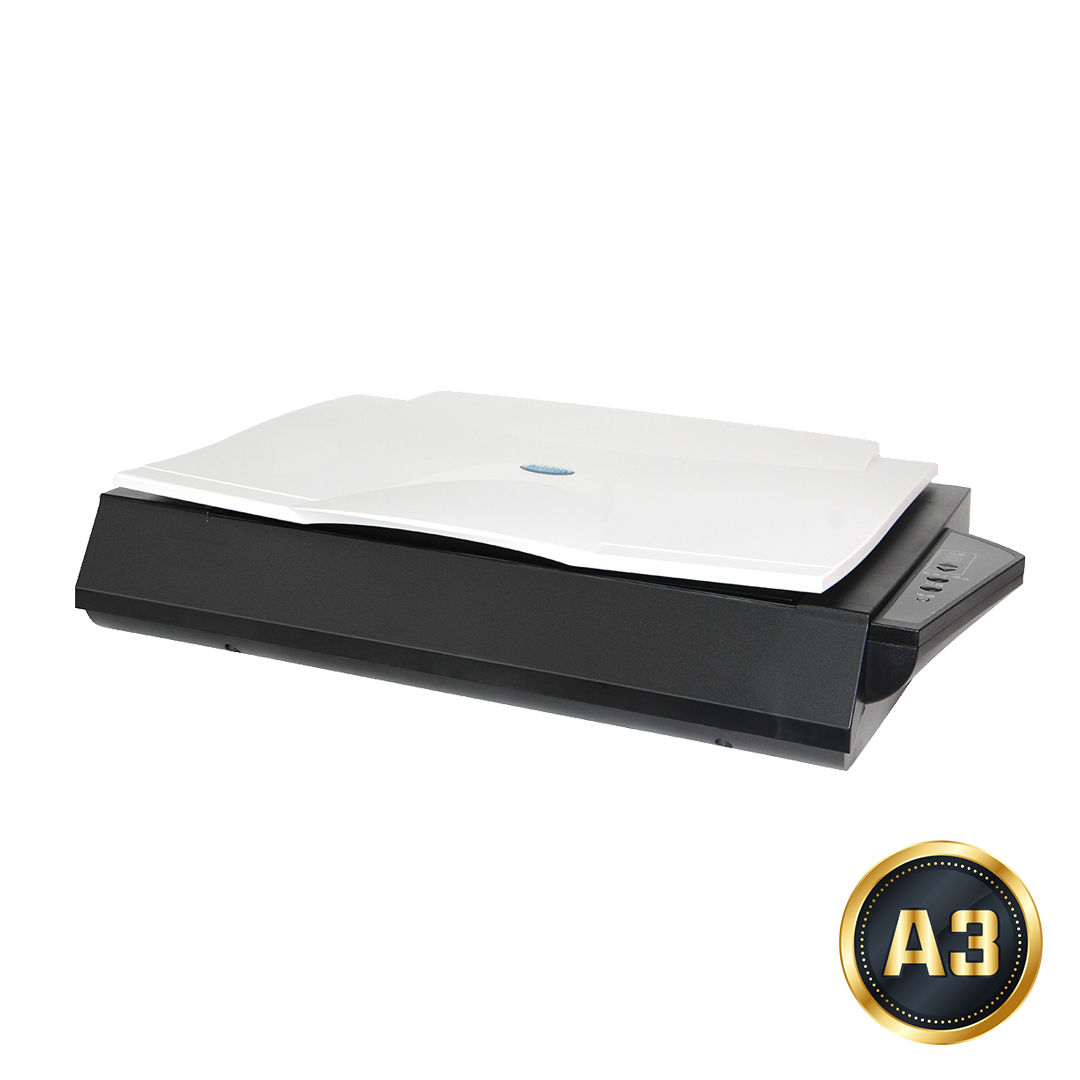



FB6380E
Your Perfect Choice for Book Scanning
Avision FB6380E A3 book scanner is your best tool to digitize books up to A3 size. With the FB6380E, you can digitize your books instantly and convert it to popular PDF file so you can easily read it in different tools and share it with your friends!
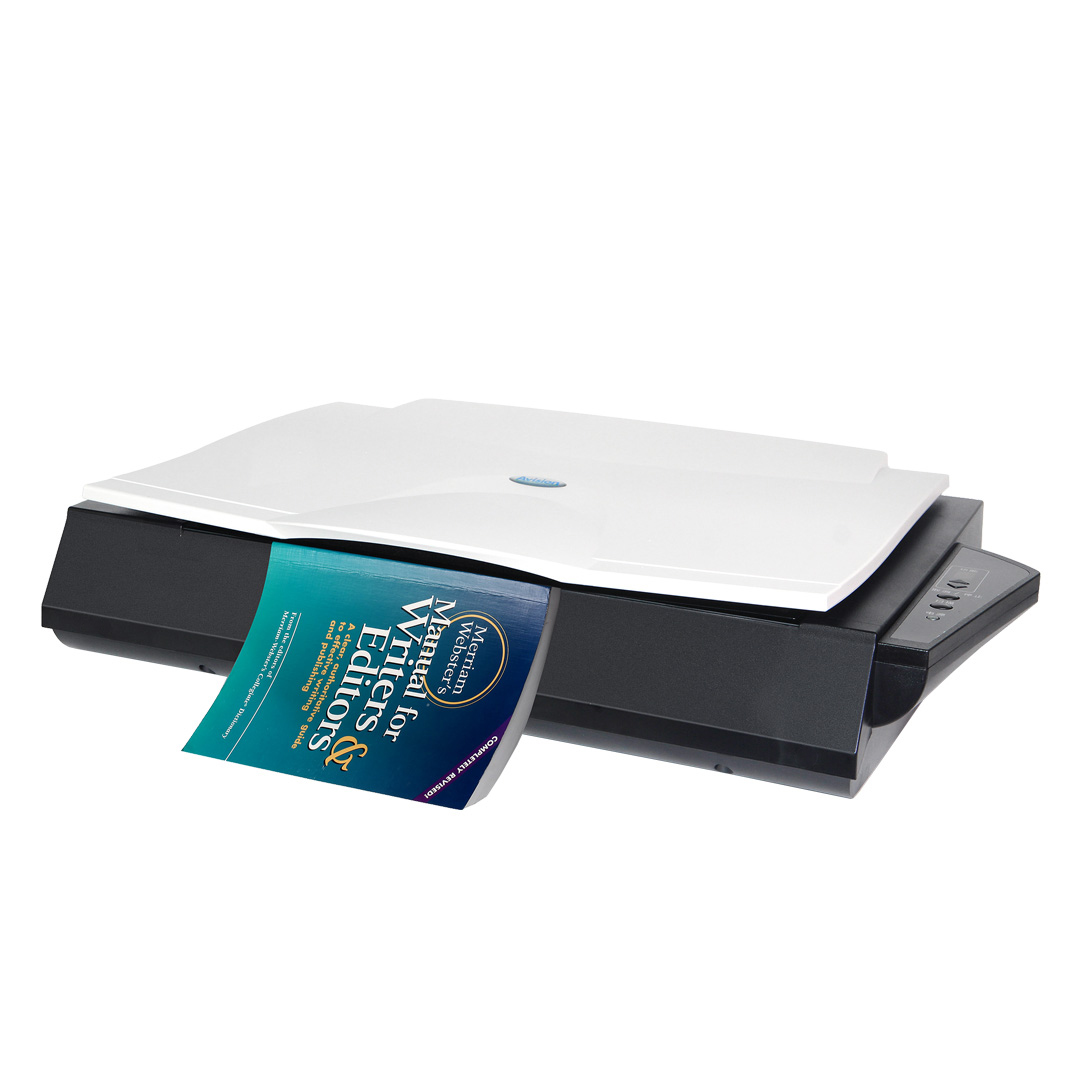
Avision’s book edge scanners feature a unique, innovative flatbed platform, with a slanted front edge engineered to accommodate books in a way that prevents the dark, shadowy area near the spine from appearing. Curved text often seen near the center is also eliminated, since this special design allows pages to spread flat on the scanner. Never again would you need to press the book against the scanner, which distorts the scanned image and potentially damages the book.
Packed with CCD sensors and a 600 dpi optical resolution, it can produce high quality color scans in 2 seconds at 300 dpi! The Avision FB6380E is the ideal choice for business professionals who frequently need to scan large-sized documents. These professionals include mechanical engineers or art designers who need to scan engineering or art drawings.
Product Detail


Product Features
The slant front platform makes book scan easy as a breeze
Avision’s book scanners feature a unique,innovative flatbed platform, with a slanted front edge engineered to accomodate books in a way that prevents the dark, shadowy area near the apine from appearing. Curved text often seen near the center is also eliminated, since this special design allows pages to spread flat on the scanner. Never again would you need to press the book against the scanner, which distorts the scanned image and potentially damages the book.
Large scanning area up to A3 size (300 x 432mm, 11.8”x17”)
The FB6380E supports documents up to A3 sizes. Its core image processing components are CCD based with a 600 dpi optical resolution, enabling it to output picture perfect quality while meeting the most stringent demands of business professionals anywhere.
High-quality imaging capabilities to meet your business needs
Avision integrates cutting-edge CCD sensors and “Smartimage” technology, ensuring outstanding image quality by eliminating color deviation. We deliver a top-notch commercial scanning experience for you.
Automatic multiple images cropping
In addition, the scanner comes with the convenient feature of multiple images cropping. With this feature, various sizes of documents such as photos, ID Cards, or business cards can be placed on the flatbed and the scanner is able to crop and create multiple images according to the original sizes of the documents in one single scan.
Auto crop, deskew and thresholding image-enhancing features
FB6380E incorporates the latest TWAIN driver with new features and enhancement such as the ability to adjust sensitivity of dynamic threshold, document/photo color matching, custom color dropout, automatic multiple cropping, and reduce despeckle. We are committed to improving the TWAIN driver continuously to enrich your scanning experience as never before.
Easy to scan – auto scan
When the option of [ Auto Scan from Flatbed ] is enabled, after closing the document cover,the scan will be automatically started through Button Manager and the scanned image will be sent to the destination you have specified. it is simply that easy to complete a scan without pressing any button!
Equipped with Avision’s convenient software – Button Manager V2, effortlessly scan documents to the cloud
Button Manager V2 makes it easy for you to scan and send your image to your favorite destinations with a press one button. Now the new version comes with an innovative feature to let you scan and automatically upload the scanned document to popular cloud repositories such as Google Docs, Microsoft SharePoint, or FTP. In addition, the iScan feature allows you to insert the scanned image or recognized text after optional OCR (Optical Character Recognition) process to your text editor such as Microsoft Word to get your job done easily and quickly.
Technical Specifications
| Technology | Charged-Coupled Device ( CCD ) |
|---|---|
| Light Source | LED |
| Memory Size | 512MB SDRAM |
| Document feeding mode | Flatbed |
| Optical Resolution (dpi) | 600 x 600 dpi |
| Output Resolution (dpi) | 1200 x 1200 dpi |
| File Formats | BMP, PNG, GIF, JPEG, Single-Page PDF, Multi-Page PDF, Multi-TIFF, TIFF, RTF, TXT, OCR( for iScan only ), XPS, DOC, XLS, PPT, DOCX, XLSX, PPTX, HTML |
| Halftone Patterns | Dither and Error Diffusion |
| Grayscale mode | 16-bit input 8-bit output |
| Color mode | 48-bit input 24-bit output |
| Dimensions (WxDxH) | 645 x 428 x 135 mm ( 25.4 x 16.9 x 5.3 in. ) |
| weight | 7.6 kg ( 16.8 lb. ) |
| Interface | USB3.2 Gen1x1 |
| Power Consumption | Operation:<30W ; Stanby:<10W ; Power saving:<2.9W |
| Recommended Daily Volume | Up to 5,000 pages |
| OS Support | Windows 7/8/10/11, Windows Server 2008R2/2012/2016/2019/2022/2025, Fedora, openSUSE, Debian, Ubuntu, macOS10.12~10.15, macOS11 Big Sur, macOS12 Monterey, macOS13 Ventura, macOS14 Sonoma |
| Bundled Software | TWAIN Driver, ISIS Driver, Button Manager, PaperPort, AVScan |
| Flatbed Maximum | 300 x 432 mm ( 11.8 x 17 in ) |
| B/W @ 300dpi, A4 | 2 sec |
| B/W @ 600dpi, A4 | 2 sec |
| Color @ 300dpi, A4 | 2 sec |
| Color @ 600dpi, A4 | 2 sec |
Download
| Name | Version | Size | File |
|---|---|---|---|
| FB6380E | English | 400 KB | Download |